All work
W
Wayfare · B2C · Mobile app
Cutting trip planning from six hours to 45 minutes
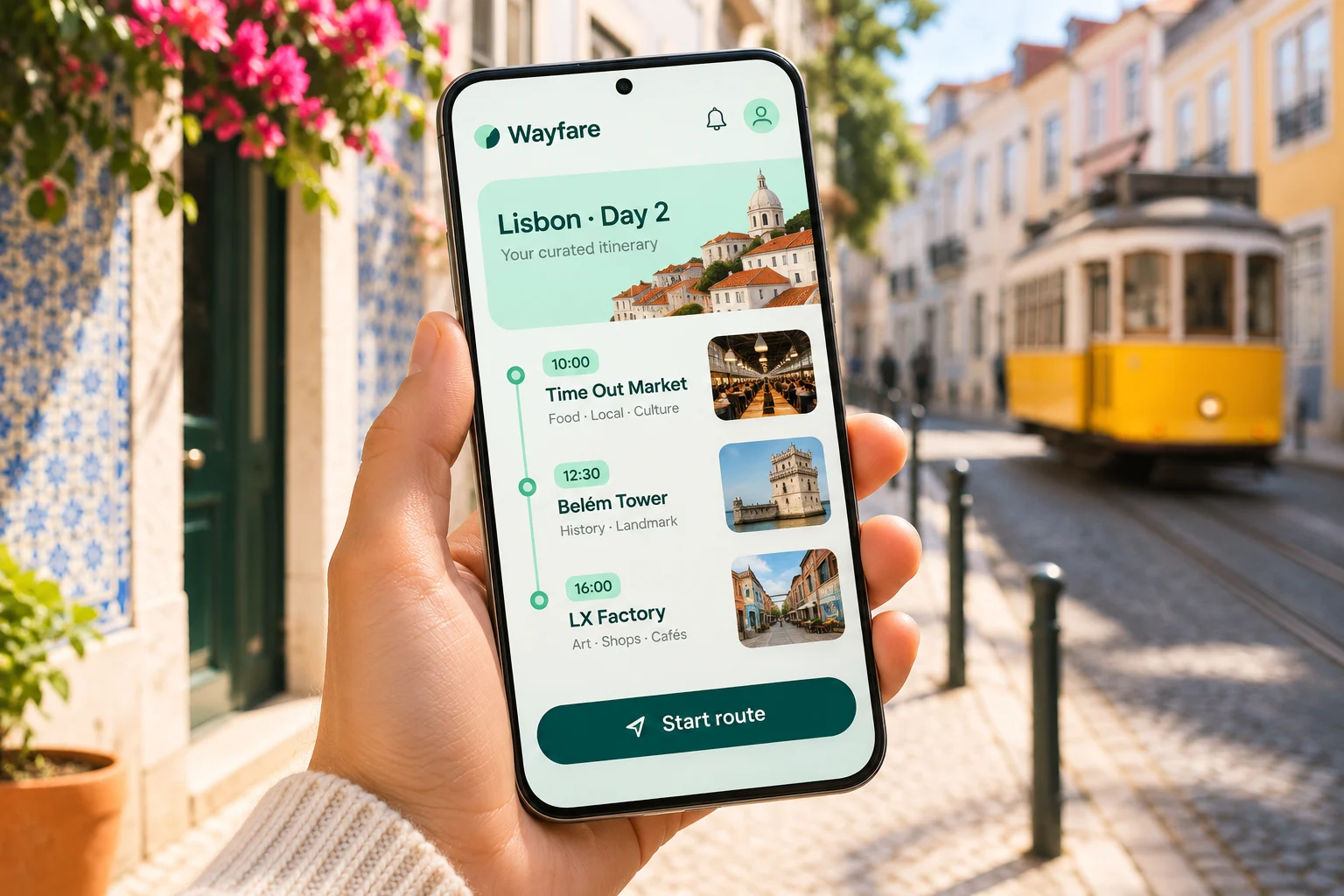
Wayfare is a trip planner for people who save ideas everywhere — links, screenshots and notes — and never turn them into a plan.
My role
Product designer, research and design system
Team
1 designer, 3 engineers, 1 PM
Timeline
10 weeks · 2025
Platform
iOS and Android
Overview
Turn a pile of saved places into a plan that survives the street
01
The challenge
Travellers saved dozens of places but still planned each day by hand, switching between notes, maps and chats.
02
The goal
Turn saved places into a realistic day plan with walking times, then keep it useful when plans change on the go.
03
My role
I ran research, designed the planning flow and map experience, and built the design system the team still ships with.
01 · The problem
Saving is easy. Planning is the hard part.
People saved places from articles, friends and social feeds, then faced a long list with no sense of distance or time. Most gave up and planned on the day.
The first version of Wayfare stored links well but offered no help turning them into days. Retention dropped sharply after the first trip.
43
places saved per trip on average
6 h
spent planning a four-day trip
1 in 3
saved places actually visited
02 · Research
Mapping how people really plan
Twelve interviews and four walking sessions in Lisbon and Porto showed where plans broke down, from the first saved link to the shared plan.
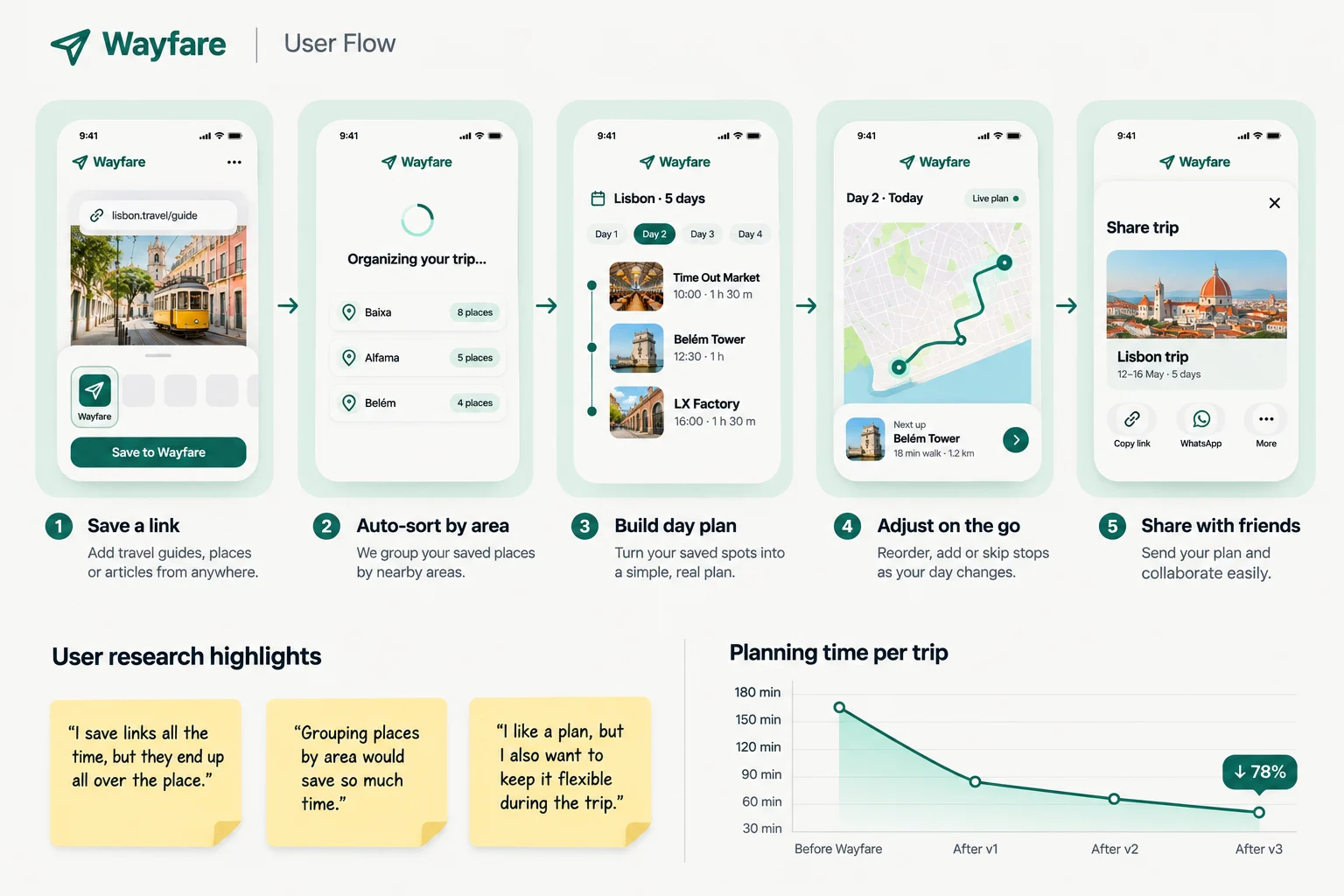
The planning flow, research highlights and the planning-time trend we designed against.
What we learned
Insight 01
Plans are built by area
People group places by neighbourhood first and time second, so the app should too.
Insight 02
Walking time decides the day
A plan only felt realistic once walking times between stops were visible.
Insight 03
Plans change on the street
Weather, queues and tired legs mean the plan must bend without breaking.
03 · The solution
Plan by area, adjust on the go
Saved places are clustered by neighbourhood, ordered into days with walking times, and a single bottom sheet keeps the next stop in view.
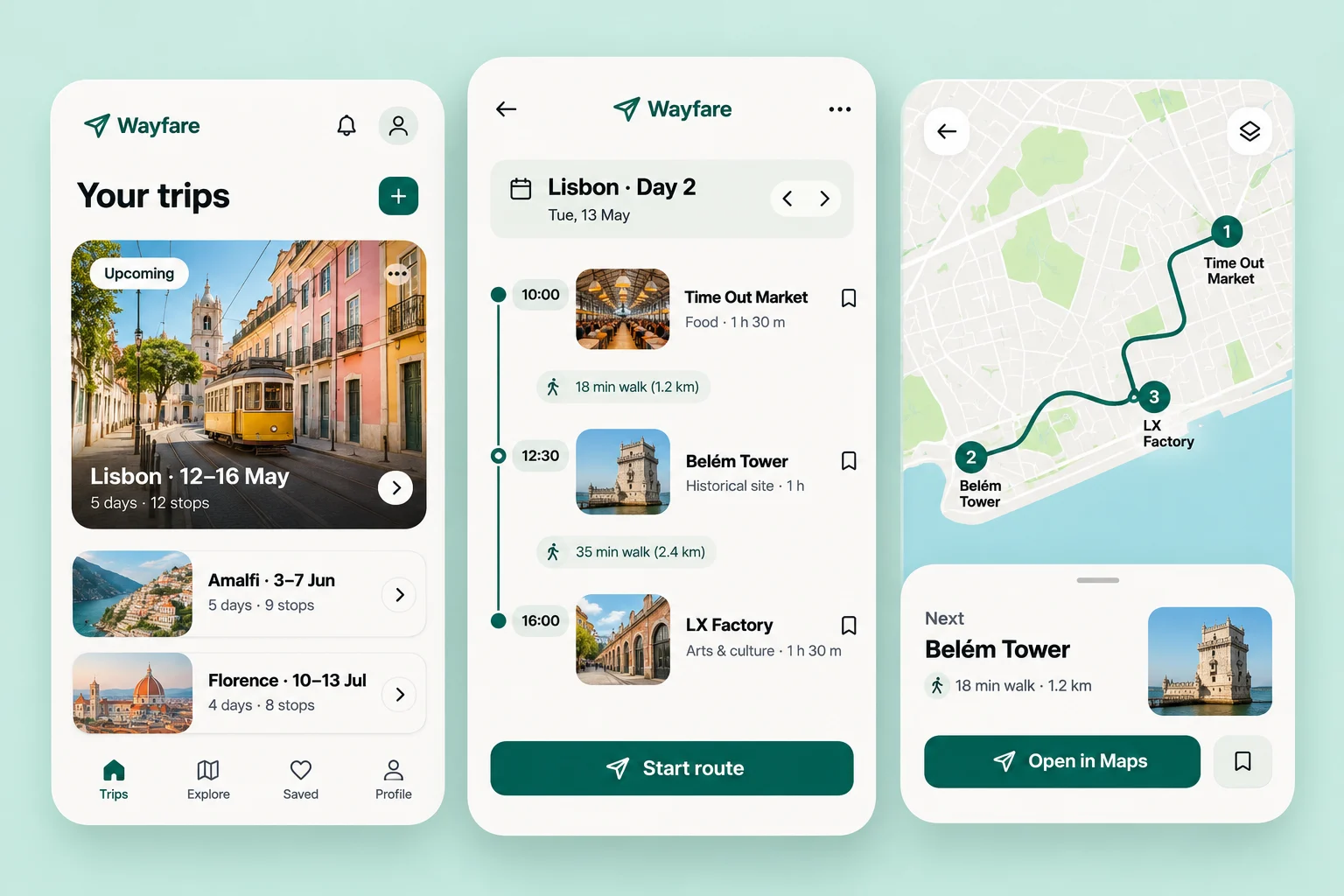
From saved places to a day you can actually walk
Trips, day plans and the map share one structure, so switching views never loses your place.
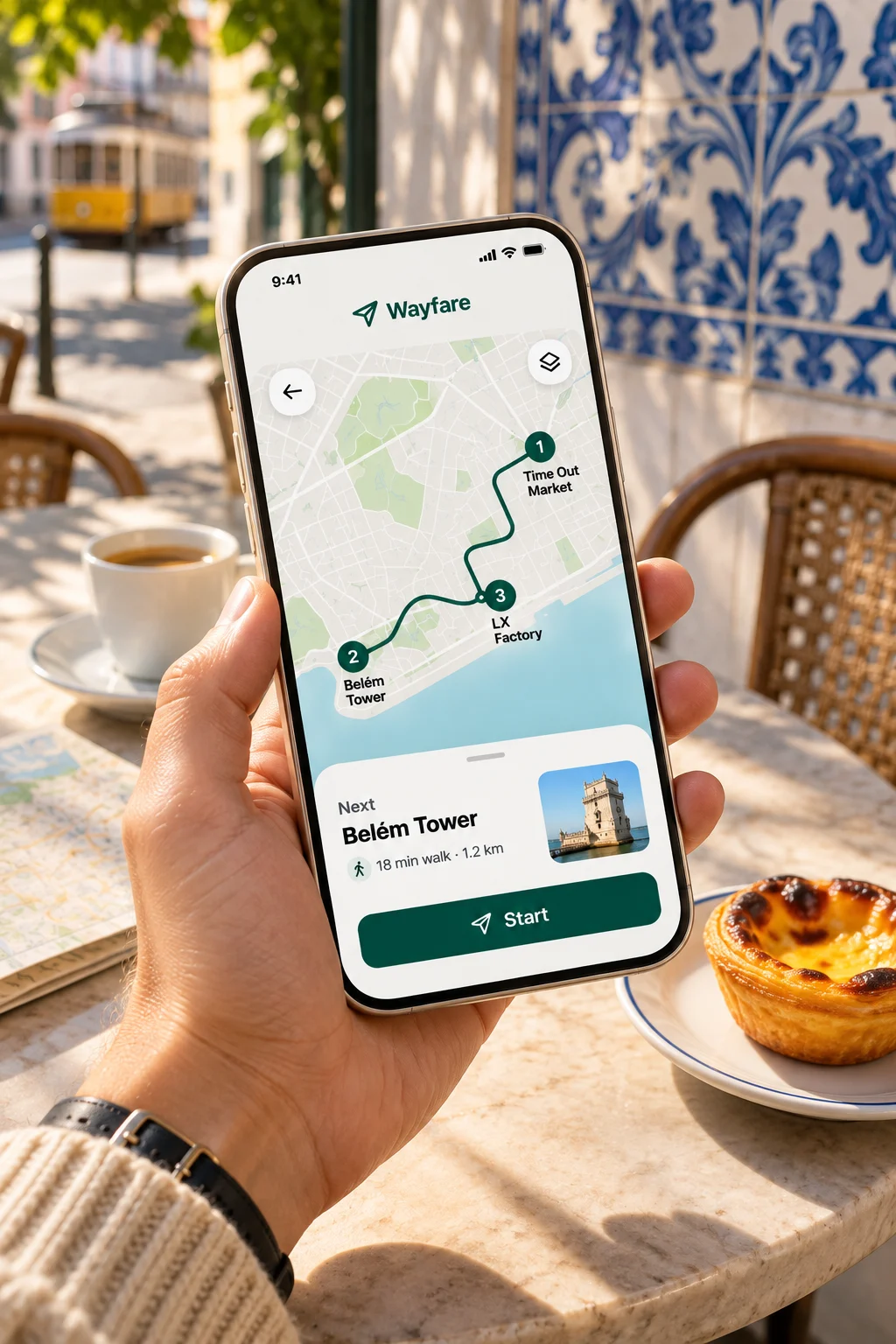
The next stop, always in view
A bottom sheet keeps the next stop and walking time one glance away, even with the phone in one hand.
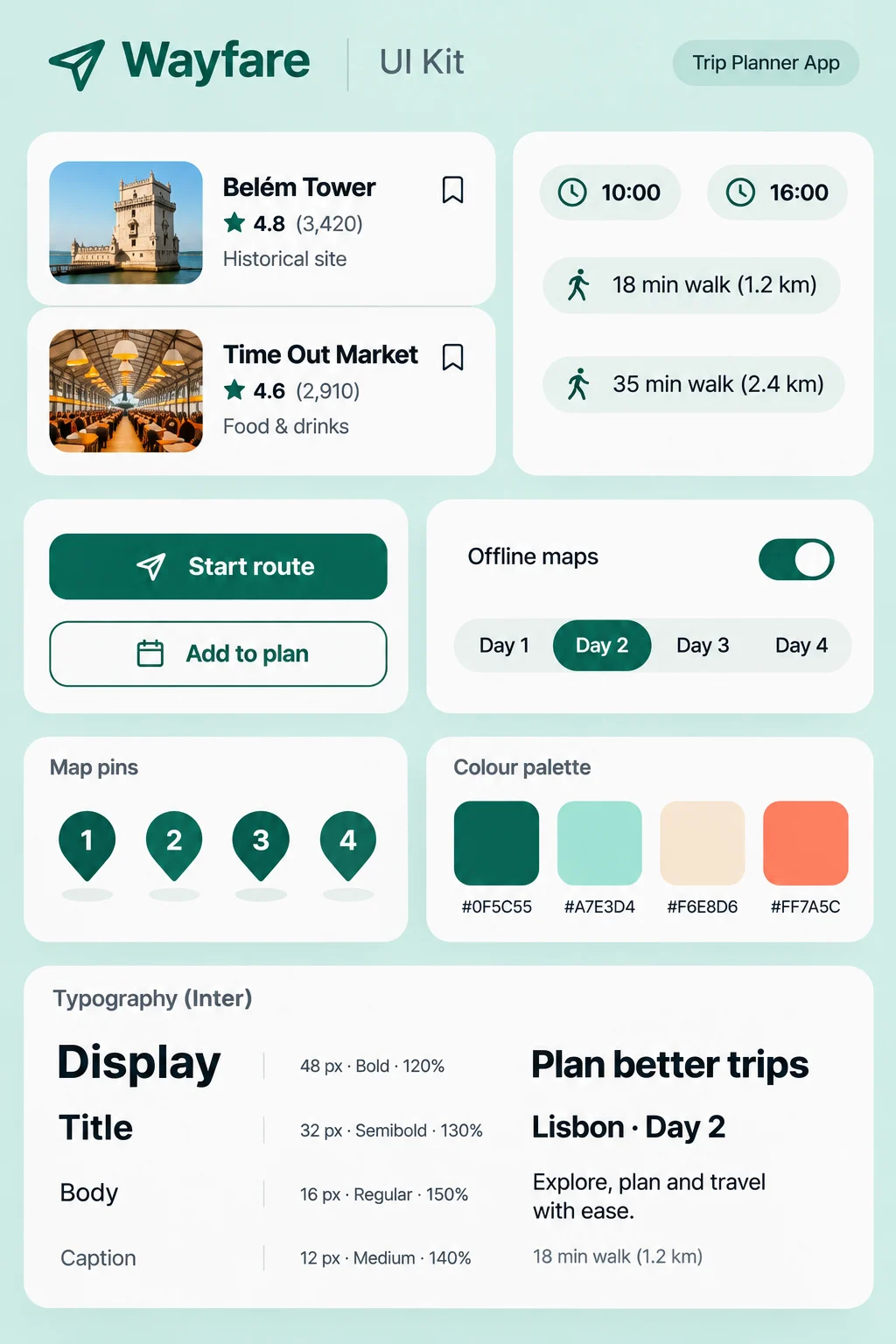
A small system that travels well
Twelve core components — place cards, time chips and pins — built once and reused on every screen.
04 · Results
Six weeks after launch
−87%
time spent planning a trip
2.1×
saved places actually visited
+38%
users planning a second trip
Figures are sample content for this template.
“Iris turned a messy pile of research into a planning flow our users describe as 'finally'. The design system she left behind still ships with every release.”
J
Jonas Berg
Head of Product, Wayfare
05 · What I learned
What I would keep for the next project
Test on the street, not at a desk
Walking sessions found problems that a lab session never would have shown.
Good defaults beat options
Ordering stops automatically by area removed the step people dreaded most.
A small system moves fast
With twelve core components the team now ships new screens in days, not weeks.
Next case study
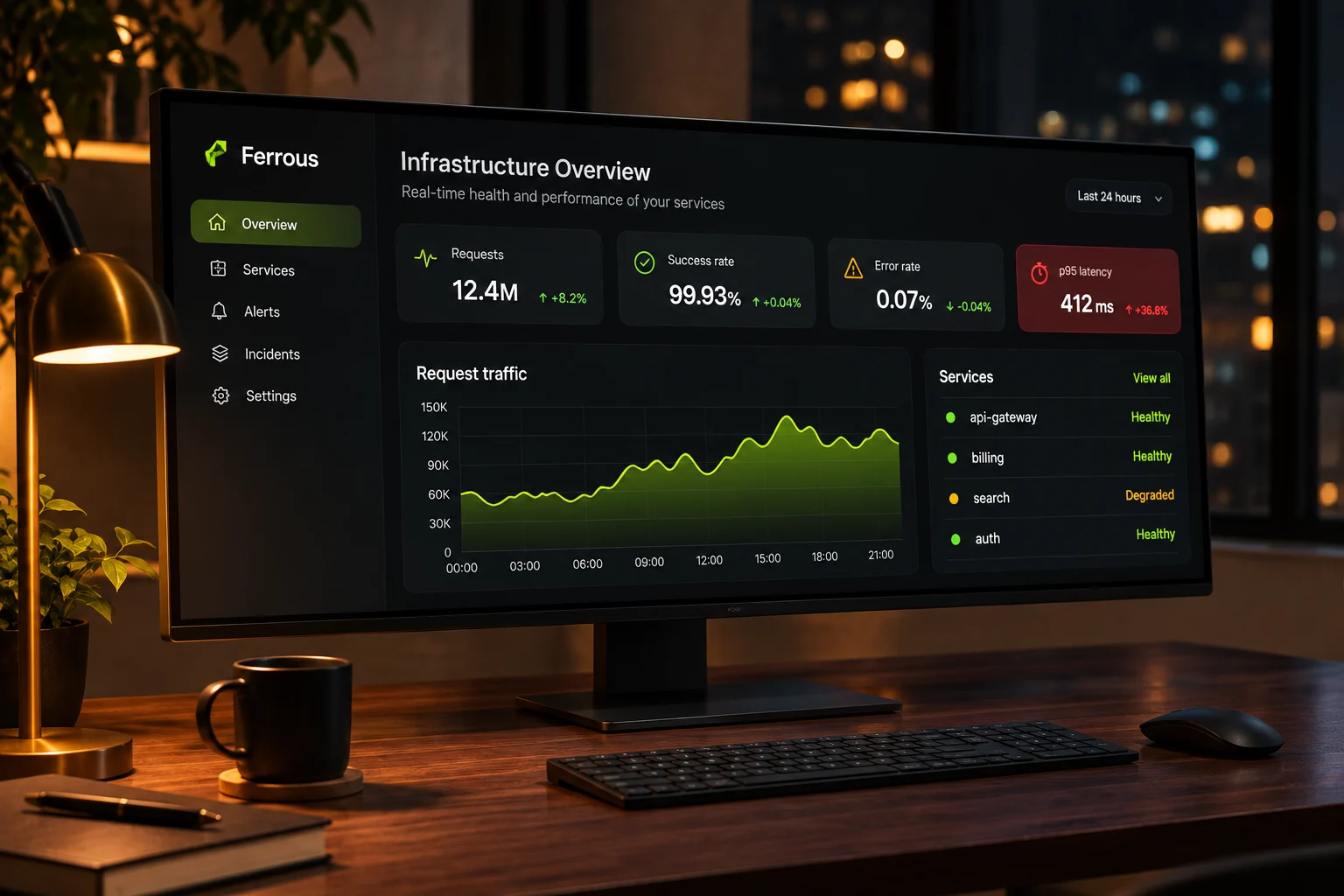
A monitoring console teams can read at 3 a.m.
Ferrous · B2B · Front-end build
Next opening · January 2027
Let's build the next one.
Tell me what you're building and when it needs to be live. I take on one build at a time, so I'll be straight with you about timing and fit.

Iris Vane
Usually replies the same day
Reply within one working day
30-minute intro call
Proposal and fixed price in three days
Nothing is payable until you sign.
© 2026 Iris Vane. Projects, clients and figures are sample content.
Back to top ↑