Plan the week,
own every day.
Kairo brings your calendar, to-do list and meeting notes into one calm workspace. Plan in minutes, protect your focus time and see exactly where every hour goes.


★★★★★ 8k+ reviews (4.9 of 5)
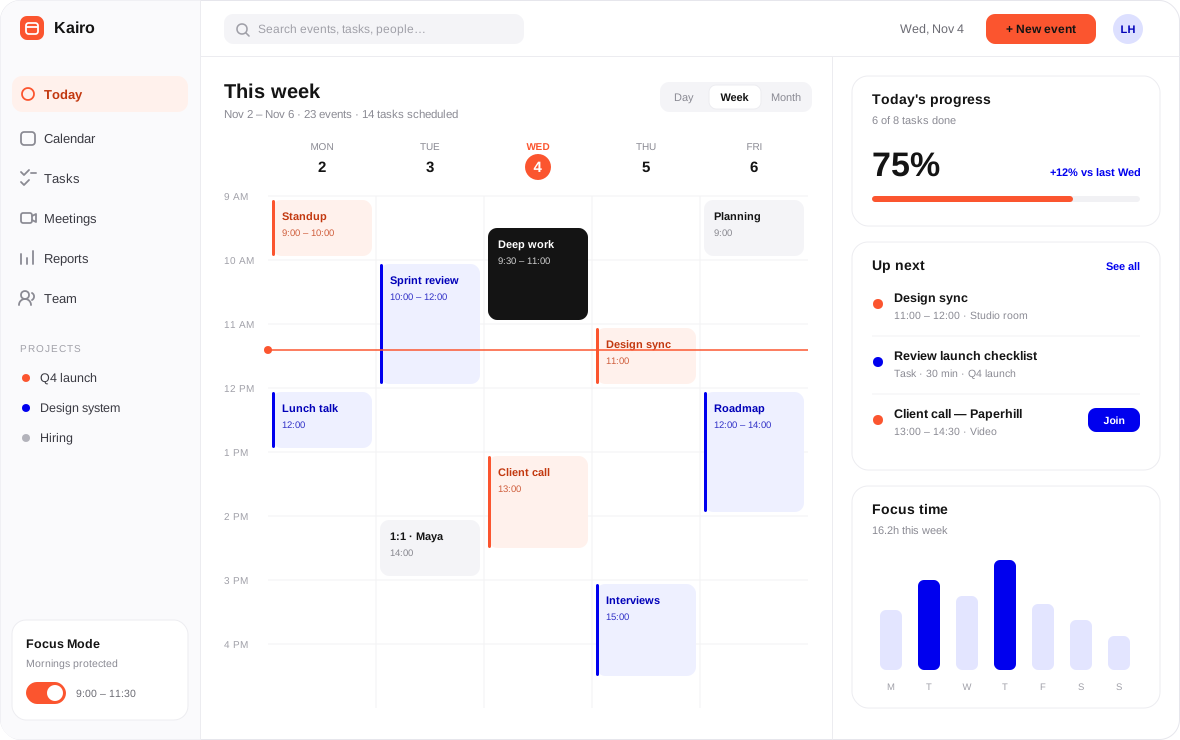
Trusted by fast-moving teams everywhere


Features
Everything your day needs.
Nothing it doesn't.
Three tools that work as one, so your plans, tasks and meetings never fall out of step.
Smart scheduling
Kairo finds the right slot for every meeting and protects your focus blocks automatically.
Tasks in your calendar
Drag any to-do onto your week and it becomes time you have actually set aside for it.
Meeting reports
A weekly summary shows where your hours went and which meetings could become an update.
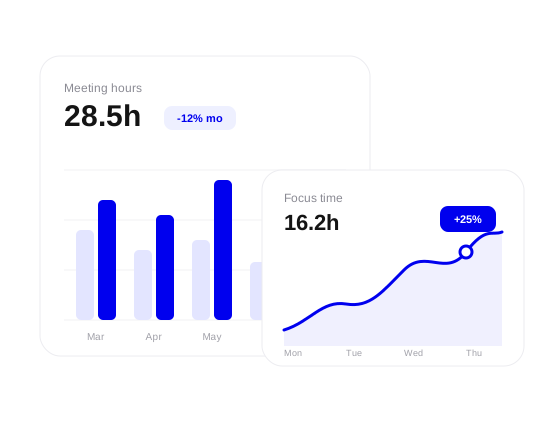
See where your week goes, at a single glance.
Automatic meeting reports show hours spent, focus time protected and the calls that could have been a short written update.
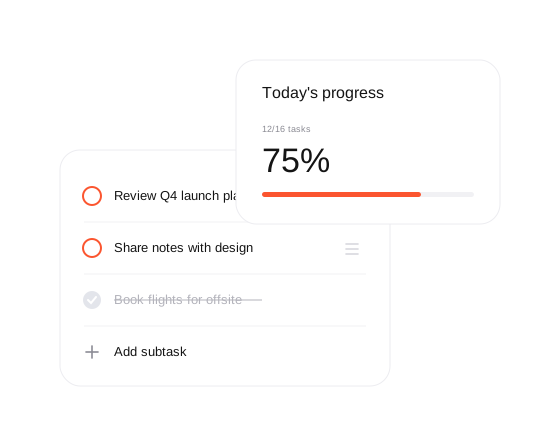
Get more done with a to-do list that plans itself.
Kairo slots tasks into the gaps between meetings, nudges you when time runs short and rolls unfinished work into tomorrow.
Every calendar and tool, finally in sync.
Connect work and personal calendars, video calls, mail and chat. Changes flow both ways in seconds, so there is only ever one version of your day.

2.4h
saved per person, every week
38%
fewer recurring meetings
8,000+
teams planning with Kairo
99.9%
uptime over the last 12 months
Up and running before lunch.
No migration project, no training day. Three steps and your week is already planned.
01
Connect your calendars
Link Google, Outlook or iCloud in two clicks. Kairo imports your events and keeps them in sync.
02
Add your to-dos
Type tasks in or import them. Kairo estimates the time each needs and finds a place for it.
03
Let the week plan itself
Kairo guards focus time, flags overloaded days and sends a short report every Friday afternoon.
Teams feel the difference.
★★★★★
“We cut our standing meetings by a third in the first month. The Friday report alone changed how we plan.”

Priya Raman
Head of Operations, Lumena
★★★★★
“Focus blocks used to get eaten by meetings. Kairo just guards them, and nobody has to argue about it.”

Daniel Okafor
Engineering Manager, Orbitra
★★★★★
“My calendar and my to-do list finally agree with each other. I start every morning knowing exactly what fits.”

Sofia Lindqvist
Founder, Paperhill
FAQ
Questions, answered.
Can't find what you need? Our team replies within one working day.
Is there a free plan?
Yes. Starter is free forever for one person, with calendar sync, the daily planner and unlimited to-dos.
Which calendars does Kairo work with?
Google Calendar, Microsoft Outlook and iCloud, with two-way sync that updates in a few seconds.
Can I try Pro before paying?
Every Pro and Team plan starts with a 14-day trial. You don't need a card to begin.
How does auto-scheduling decide where tasks go?
Kairo looks at your free time, deadlines and the effort you estimate, then suggests slots you can accept or move.
Is my calendar data secure?
Data is encrypted in transit and at rest, and we never sell or share it. Team plans add SSO and admin controls.
Make tomorrow the easiest day of your week.
Set up Kairo in under five minutes. Free for individuals, with a 14-day trial for teams.

Kairo
Kairo keeps your calendar, tasks and meetings in one calm place, so the week plans itself.
One planning tip, every Friday.
© 2026 Kairo. All rights reserved.
Kairo is a fictional sample brand. People, prices and figures are illustrative.